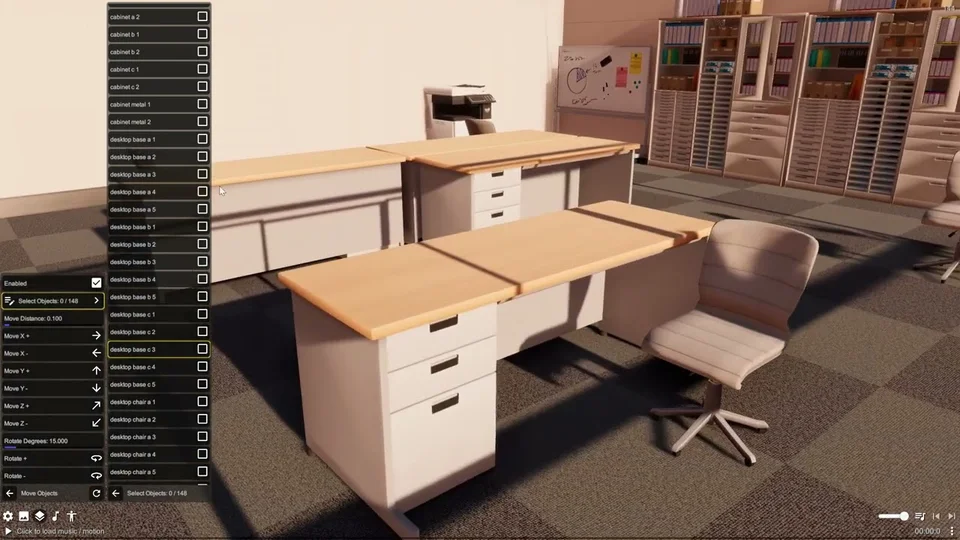
Stages
A stage is the static environment your actors perform on — a club floor, a concert hall, a city street, a procedural room. DanceXR loads stages from your content library the same way it loads actors and motions, and applies its own lighting, physics, and camera systems on top.
Loading a stage
Place stage models in your content library under stages folder. You can also tag actor models as “stage” so they appear under the stage menu. PMX, XPS, and FBX models can all be used as stages.
From the scene menu, open the stage selector and pick the model to load. A stage replaces any previously loaded stage; only one stage is active at a time.
Stage vs prop vs room
- Stage — the main environment. Loaded once, sets the floor, walls, scale of the scene.
- Props — additional models layered on top of (or independently from) the stage.
- Primitive shapes — built-in box / cylinder / sphere props.
- Room Stage — a built-in procedural stage you can configure without an external model.
- Ground — the rendered ground plane. The stage and ground coexist; the ground can be set to shadow-only mode (2024.3) to layer the model’s shadow over a background or AR passthrough.
Stage and motion
Motion on stage & prop models are not supported. However you can load them as actors (by keeping the model files under actors folder) and then assign motion.
Sharing a stage
Save a complete scene (including the loaded stage and its settings) via Save Scene. To bundle the actual stage assets alongside the scene file so a recipient does not need to find the model themselves, use Scene Bundle.