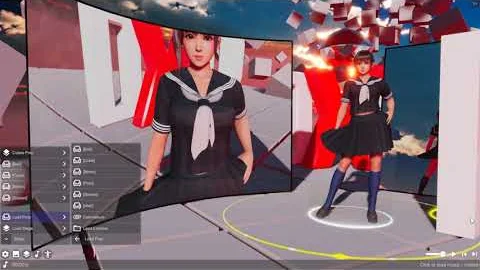
Actor Playlist
An actor playlist is the list used when moving between models. It comes from the list you selected the actor from: a folder, a tag, recent models or favourites. It does not change the model files themselves.
Start with a folder
- Open a model folder in the actor browser and select an actor. The other models in that list become the playlist.
- Open the playlist to review its entries. Use the next/previous actor controls to browse the list, or select an entry directly.
- In an entry’s Tools menu, use Move Up and Move Down to change the order. Delete removes that playlist entry; it does not delete the model file from your library.
- Choose Save As and enter a name to keep a copy of the edited playlist. Reopen it from Saved Playlists in the actor browser.
Selecting an actor from a tag, recent list or favourites starts from that list instead. Save the playlist after arranging it if you want to keep a particular selection independently of those changing lists.
Loading several actors
Load All loads the playlist’s models together. For a solo scene, select one entry instead. When loading several actors, review their formation and motion assignments; playlist order and the actors currently loaded in the scene are different things.
A saved playlist stores references to models, so the corresponding files still need to be present in the content library. If an entry cannot load, check the file in the actor browser before rebuilding the playlist.