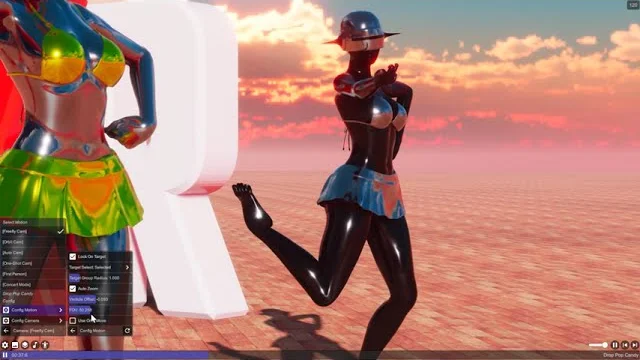
[Freefly Cam]
A fully manual camera mode where you control position and rotation directly. Move freely through the scene, orbit around a point, or lock on to an actor for tracking.
Movement
Movement Damping smooths camera position changes — lower values make the camera more responsive, higher values add inertia for cinematic ease-in/out.
Use Orbit Move switches from free-flight to orbit mode, where the camera rotates around a point 1.5 m in front of it instead of translating freely. Useful for circling a subject.
Restrict Vertical Move (VR platforms only) prevents unintentional height changes by snapping small vertical offsets back to ground level.
Lock On Target
When Lock On Target is enabled the camera automatically tracks the selected actor. Tracking Mode chooses which body part to follow (center, head, or chest). Target Smoothing and Prediction reduce lag and jitter in the follow. Auto Zoom adjusts the field of view to keep the target at a consistent screen size, with FOV Height At Target controlling the desired apparent height. Camera Shake adds subtle handheld-style motion scaled by tracking lag. Lock Rotation makes the camera also follow the target’s orientation.
Presets
Four built-in presets cover common setups: Freefly (full manual control), Lock On Actor (track without zoom), Lock + Zoom Fullbody, and Lock + Zoom Upper Body (tighter framing on the torso).