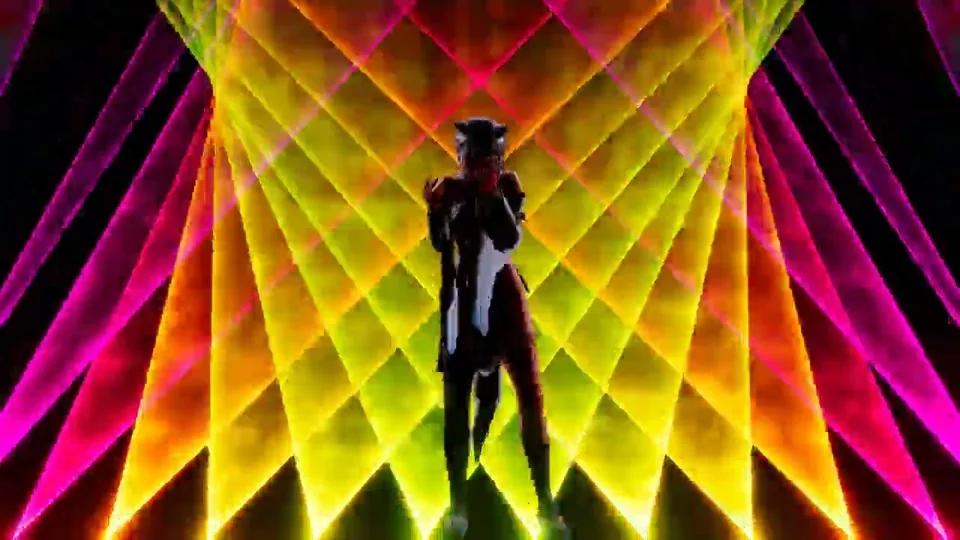
Laser
Controls laser beams projected across the stage, reacting to music with animated color and movement.
Formation
Number sets how many laser beams are spawned. Width controls the horizontal spread of the beam array — higher values fan the beams farther apart. Curvature bends the formation from flat into an arc; negative values bow inward, positive values bow outward. Rotation tilts the arc; Distance pushes the entire formation forward or backward along the stage. Height raises or lowers the formation vertically.
Direction
Direction rotates the formation around the horizontal axis, pointing the beams up or down. Angle narrows or widens each individual beam’s spread cone. Both values auto-update with the music and can drive reactive motion.
Color
The beam color uses a base color with a Glow intensity. Presets include Glow w/ Music, which syncs glow to audio amplitude for a pulsing effect on strong beats. Base Level, Edge Level, and Hit Level use power-based scaling — lower values brighten the corresponding part of the beam, useful for creating sharp or diffuse laser aesthetics.
Motion
Motion patterns define how beams rotate and sway over time. The motion interpolates between two randomly selected target rotations every beat, creating organic, evolving movement across the laser array.
Settings reference
Color and glow (Color)
Holds a base color and glow intensity for audio-reactive elements. Glow is multiplied with the color and animates with the beat when auto-update is enabled.
Motion
Reusable motion-pattern generator for looping body sway and positional drift. It can randomize built-in patterns, randomize user presets, or expose the underlying curves directly for manual shaping.
Pattern Source
Mode decides where the curves come from. Random pulls from the built-in pattern library, Random Preset rotates through your saved presets, and Manual exposes the underlying motion curves directly. Seed fixes the random sequence so the same pattern order repeats; change it when you want new variation without redesigning the curves.
Timing and Intensity
Moves Per Group controls how often the generator advances to a new pattern phrase. Speed scales playback, while Use Audio lets the motion breathe with the music level instead of staying at a fixed intensity. Extent is auto-updatable, so it is the best control to automate when you want another system to push the motion larger or smaller over time.
Transition and Damping
Transition softens the handoff between phrases; low values make the motion snap to the next idea, high values keep it more fluid but can blur the character of individual patterns. Damping controls how quickly the driven rig catches up on orientation, horizontal sway, and vertical sway, which is often the difference between crisp choreography and a floaty feel.
Motion X
Curve function that is used to control procedural motions.
Motion Z
Curve function that is used to control procedural motions.