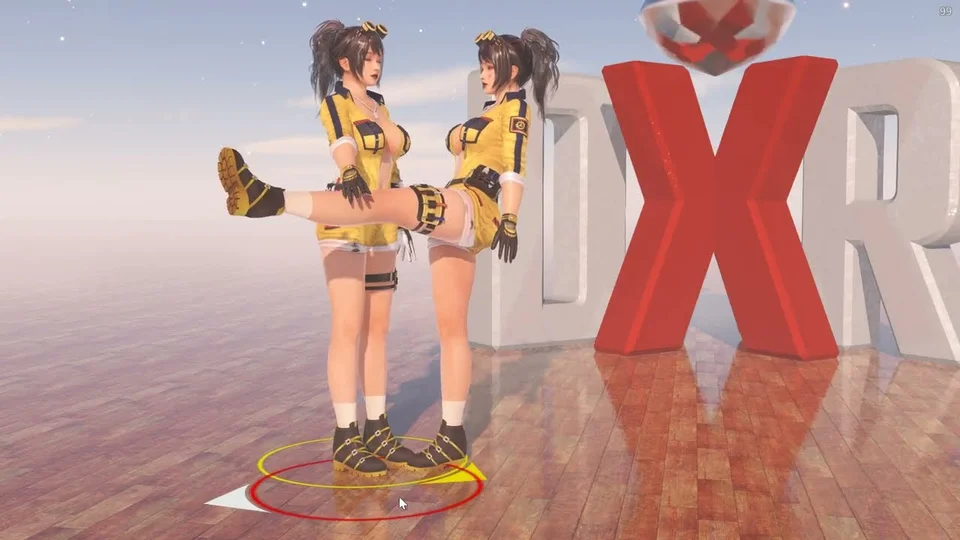
Interactive Pose
Interactive Pose turns several actors into self-balancing puppets that share one physical world. Pose each one by hand exactly like Free Pose — grab a limb, the torso, or the head and drag; the balance solver keeps each character standing over its feet (or sitting on a locked seat). Because all the bodies live in the same simulation, characters can lean on and push against each other, and a hand held against another character can grab onto them.
Posing
Identical to Free Pose: drag a hand/arm or foot/leg to move that limb; feet use dwell-to-pin (hold still to lock in the air, release to drop). Drag the torso and hold to sit. Reset drops every pin and returns to a neutral stand.
Pinning
A pinned hand or foot is held by a spring constraint rather than being frozen, so it still takes part in the simulation — another character can push against it and it springs back to the pin. Pin Strength sets how firmly: high holds the pin tightly, low lets the limb give way and drift under contact.
Contact & Anchoring
Contact Reaction is how strongly a character reacts to being pushed into by another: contact that would sink the two bodies together shifts the whole body away instead, feet staying planted. Turn it up for a firmer brace, down to 0 to let the bodies overlap freely.
Hold a hand against another character and keep it still, and it anchors to the body part underneath — it then rides that part as you re-pose the partner (a hand on a shoulder stays on the shoulder). Anchor Reach is how close the hand has to get before it latches; set it to 0 to disable anchoring. Drag the hand again, or Reset, to let go. The anchor is one-way — the character being held feels nothing from it except the contact itself.
Ragdoll
Ragdoll is the master switch for the shared physical body: with it off, each character still poses and balances but passes straight through the others. Drive Strength is how firmly the physical body is held to the pose you directed (lower gives more under contact) and Damping settles it.
World Pose Pull is a second, weaker version of that hold. The joints only reproduce each bone’s rotation relative to its parent, so an arm knocked aside by contact keeps pointing the wrong way for good — every bone below the shoulder is still correct relative to a shoulder that isn’t. This steers each part back toward the direction the pose asked for. Raise it until displaced limbs find their way back, and back off before the body stops giving under contact.
Fine Tune scales both drives per body part, from 0 (that part goes limp) to 1 (held as firmly as the drive allows) — keep the torso firm while the arms dangle, or soften just the hands.
Pose Recovery is how strongly the body is drawn back to the pose you directed. It is deliberately gentle, so moving or shaking the character still makes the limbs trail and swing — it only decides how surely they settle back afterwards rather than staying where they ended up. Turn it to 0 and a body that gets displaced stays displaced.
Surface Friction is how much the body grips the floor and other surfaces it touches. At 1 a part that touches the ground sticks to it and can only be pulled free by the rest of the body; turn it down for parts that slide and settle.
Show Colliders draws the physical volumes the character is actually built from — the capsules, slabs and spheres that collide — and Show Joints draws the connection between each pair, with the range it is allowed to bend through. Both are diagnostic: use them to see why two characters touch where they do, or why a limb stops where it does.
Sitting
Drag the torso (waist) and hold still to lock it as a seat, exactly as in Free Pose: the character rests on it like a stool and both feet hang free. A quick drag-and-release, or Reset, stands back up. A seated character is still fully part of the shared simulation — the seat is a spring, not a nail, so another character can lean into one and push them off it, and they settle back. Seat Stiffness and Seat Damping set how firmly and how quickly; a softer seat gives more under contact. Seat Pin Strength is the matching hold on the physical body: turn it down and a seated character drifts further and takes longer to come back, up for a seat they barely leave. Seat Radius, Seat Lean Gain and Seat Lean Max control the counterbalancing tilt of the upper body, since a seated pelvis can’t slide to chase balance the way a standing one does.
Repeating Motion
Motion adds an optional repeating body movement — the hips travel back and forth over Motion Range at Motion Speed. Motion Orientation tilts the line they travel along, from straight forward/back through to straight up/down. Motion Origin shifts the centre of that travel, so the movement can sit forward or back of where the character rests; leave Motion Speed at 0 and the hips simply hold at that offset instead of moving. Motion Phase gives each character its own starting point so peers don’t move in lock-step.